Done
⌘Keyboard-driven task management
Built for flow.
→Developer-first•→macOS native•→Local-first
Most task apps optimize for capture.
Done optimizes for completion.
Your task list is infrastructure. It needs maintenance, not just input.
Done helps you keep it running clean.
Keyboard-First
Stay in your flow. Complete tasks, defer work, and navigate your system without reaching for the mouse.
Stale Task Detection
Tracks task age and context decay. You'll know when something needs attention—or removal.
Local-First
Your data stays on your machine. No sync, no servers, no subscription. Just a tool that works.
How It Works
Stay in the keyboard
Add tasks, mark complete, defer—all without breaking flow. No mouse required.
Monitor staleness
See which tasks are aging, losing context, or blocking progress.
Curate, don't accumulate
Archive what's done. Delete what's stale. Keep your system intentional.
Keyboard Shortcuts
Every action is a keystroke away. No mouse required.
Global
| ⌘ K | Open command palette |
| ⌘ F | Global task search |
| ⌘ N | Create new task |
| ⌘ B | Toggle sidebar |
Navigation
| J or ↓ | Select next task |
| K or ↑ | Select previous task |
| Space | Open task detail modal |
Views
| T | Switch to Today view |
| B | Switch to Buckets view |
| Z | Switch to Snoozed view |
| R | Refresh projection |
Task Actions
| C | Complete task |
| P or Enter | Start task (In Progress) |
| U | Mark as TODO |
| S | Snooze task (tomorrow 9am) |
Priority
| 1 | Set priority to High 🔴 |
| 2 | Set priority to Medium 🟡 |
| 3 | Set priority to Low ⚪ |
All shortcuts work when the main window is focused.
How Done Compares
Built for developers who need task management that stays out of the way.
| Feature | Done | Things | Todoist | Linear |
|---|---|---|---|---|
| Keyboard-first | ✓ | Partial | Limited | ✓ |
| Stale task detection | ✓ | — | — | — |
| Local-first | ✓ | ✓ | — | — |
| Single-user focus | ✓ | ✓ | Partial | — |
| macOS native | ✓ | ✓ | — | — |
| One-time purchase | ✓ | ✓ | — | — |
| Optimized for completion | ✓ | Partial | — | Partial |
| Developer-focused | ✓ | — | — | ✓ |
Done is not a team tool. It's built for individual developers who value speed, clarity, and local control.
See It in Action
Built for macOS. Designed for speed.
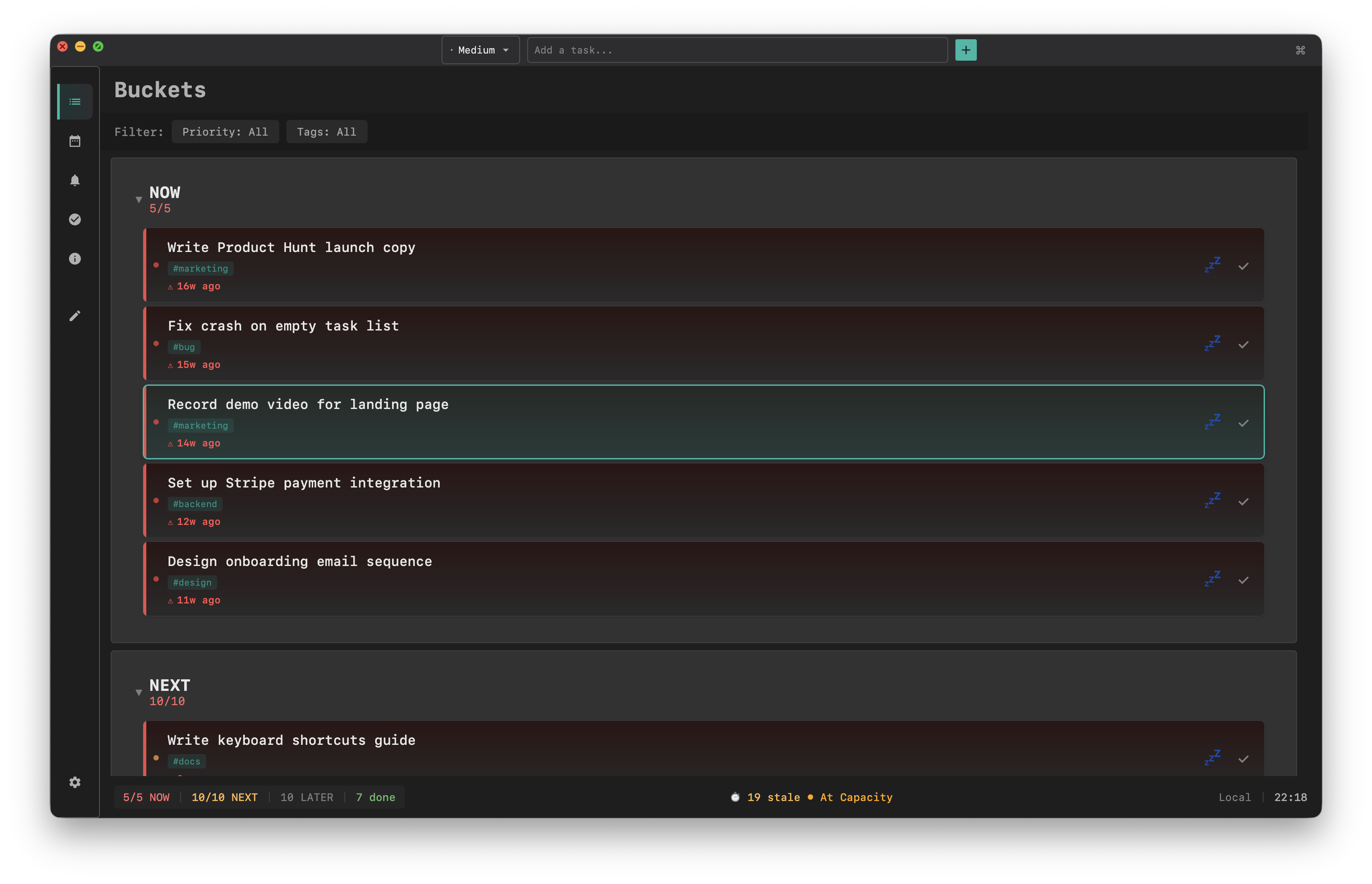
Priority Buckets

iCloud Sync
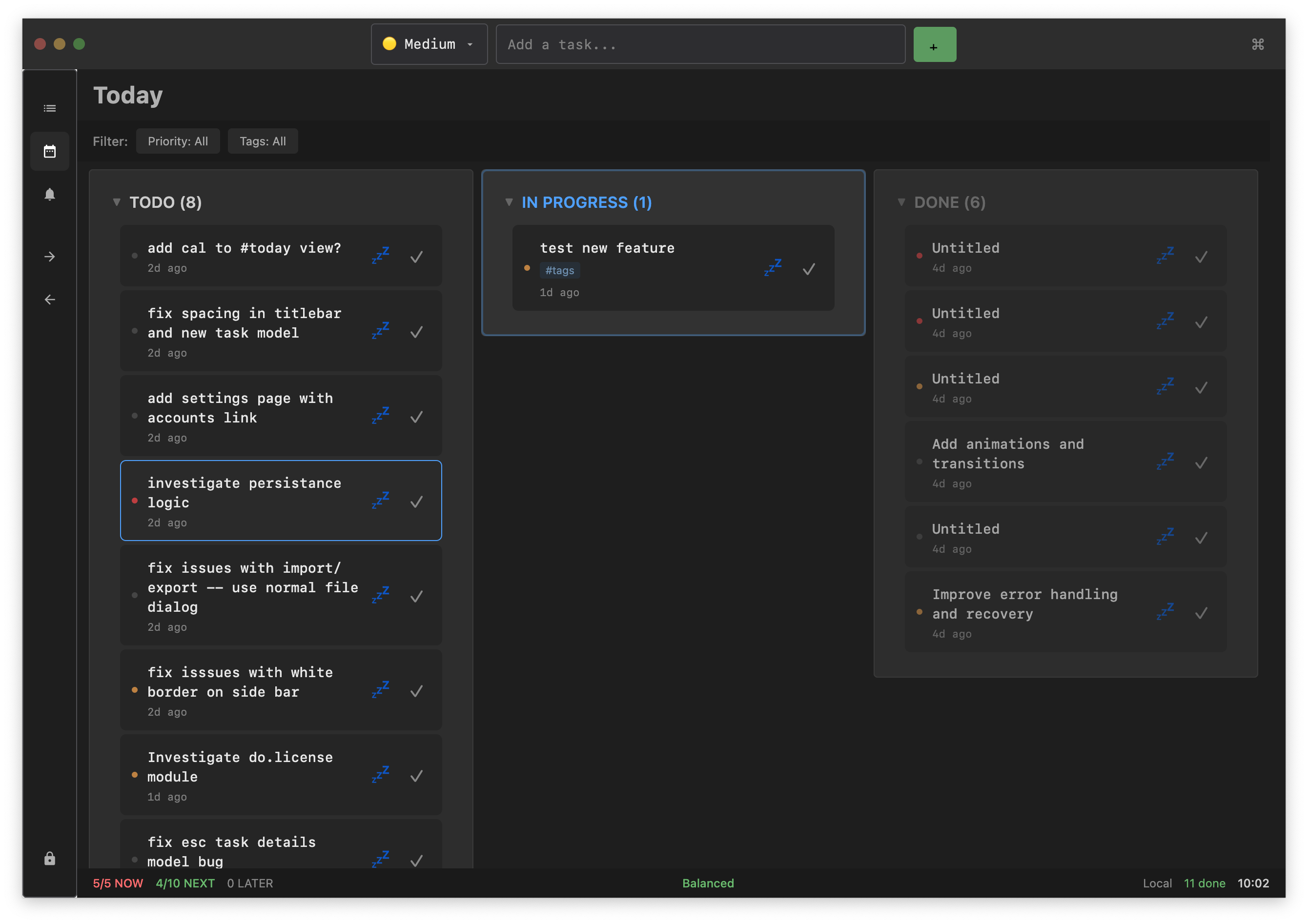
Today View
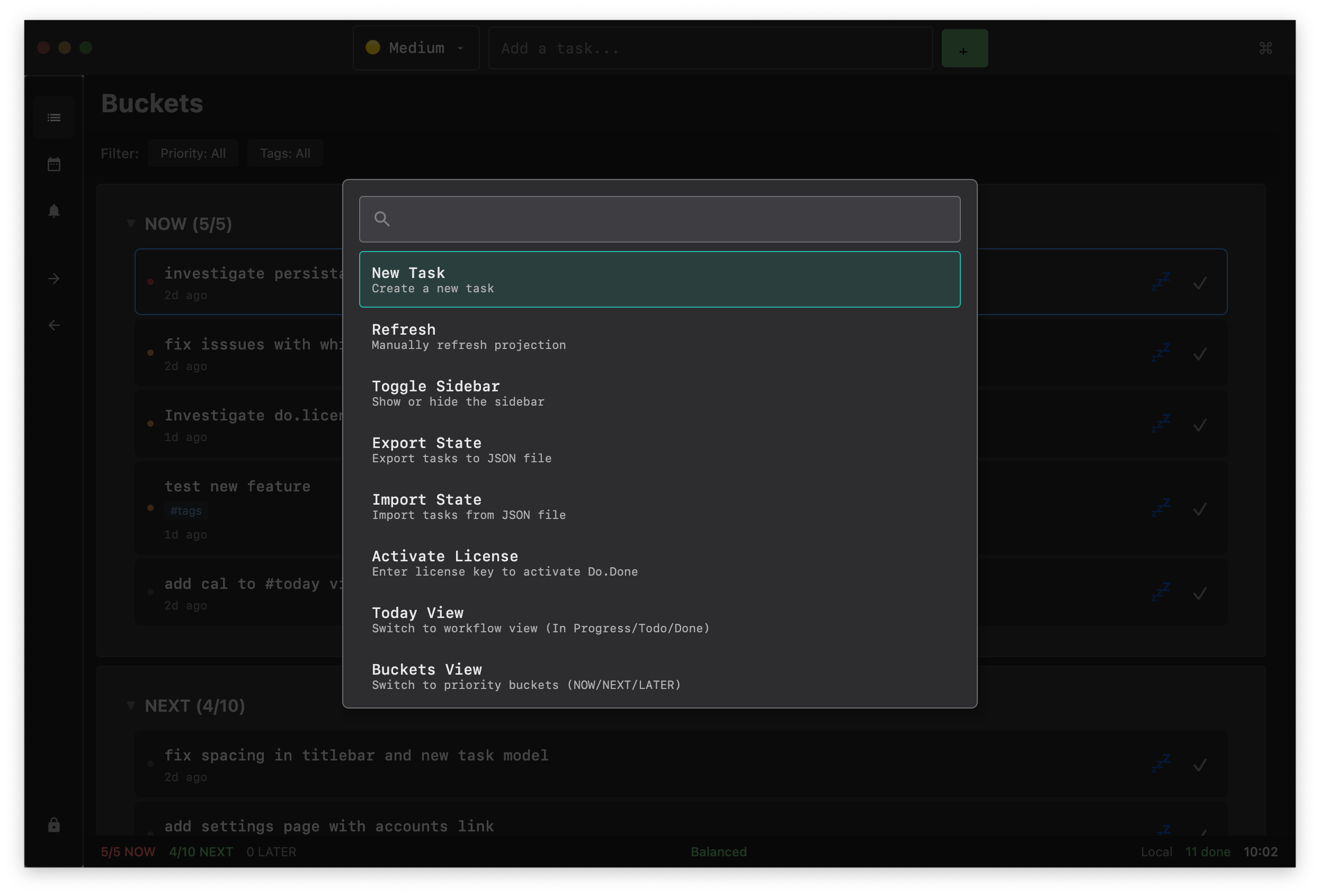
Command Palette
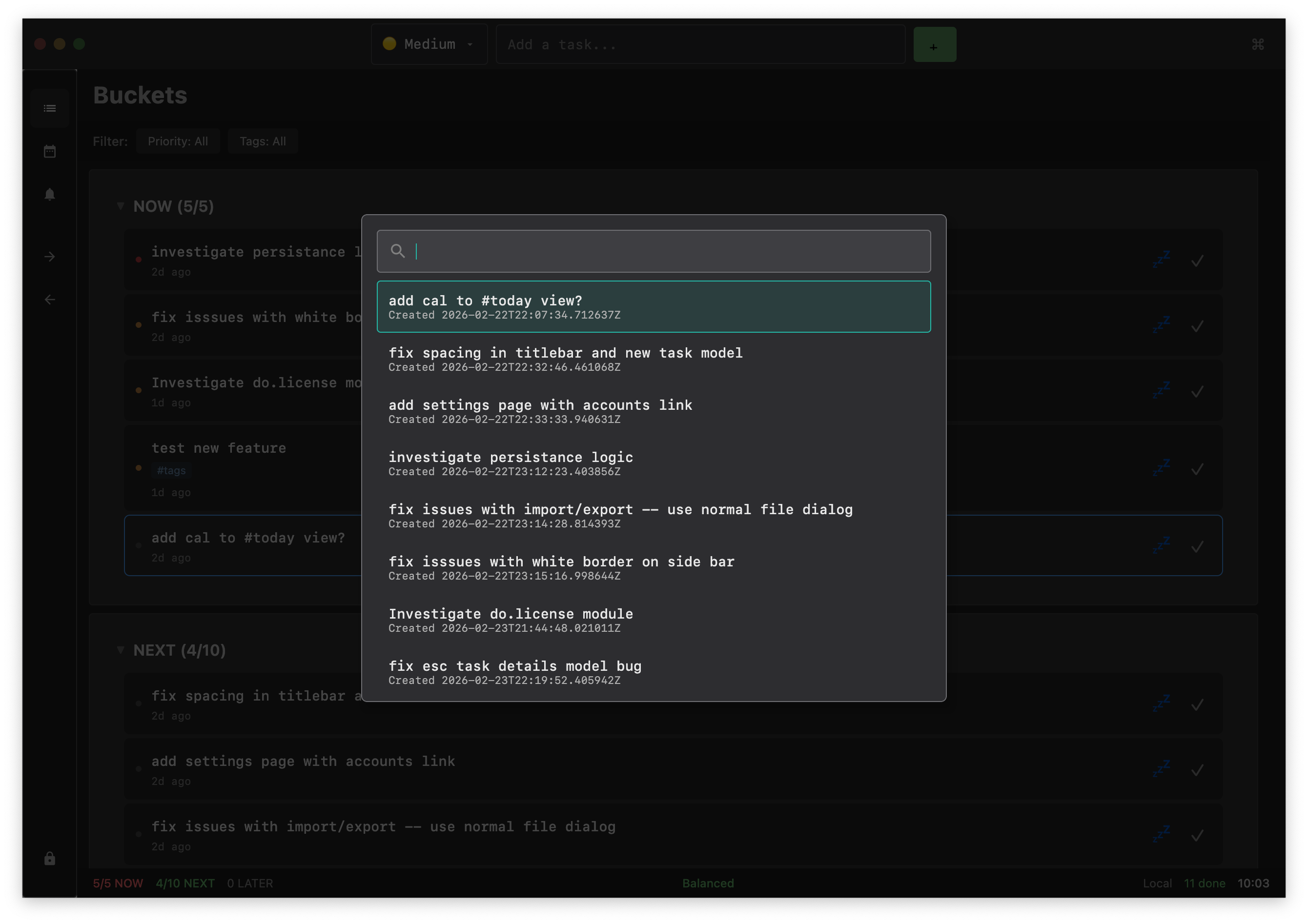
Global Search
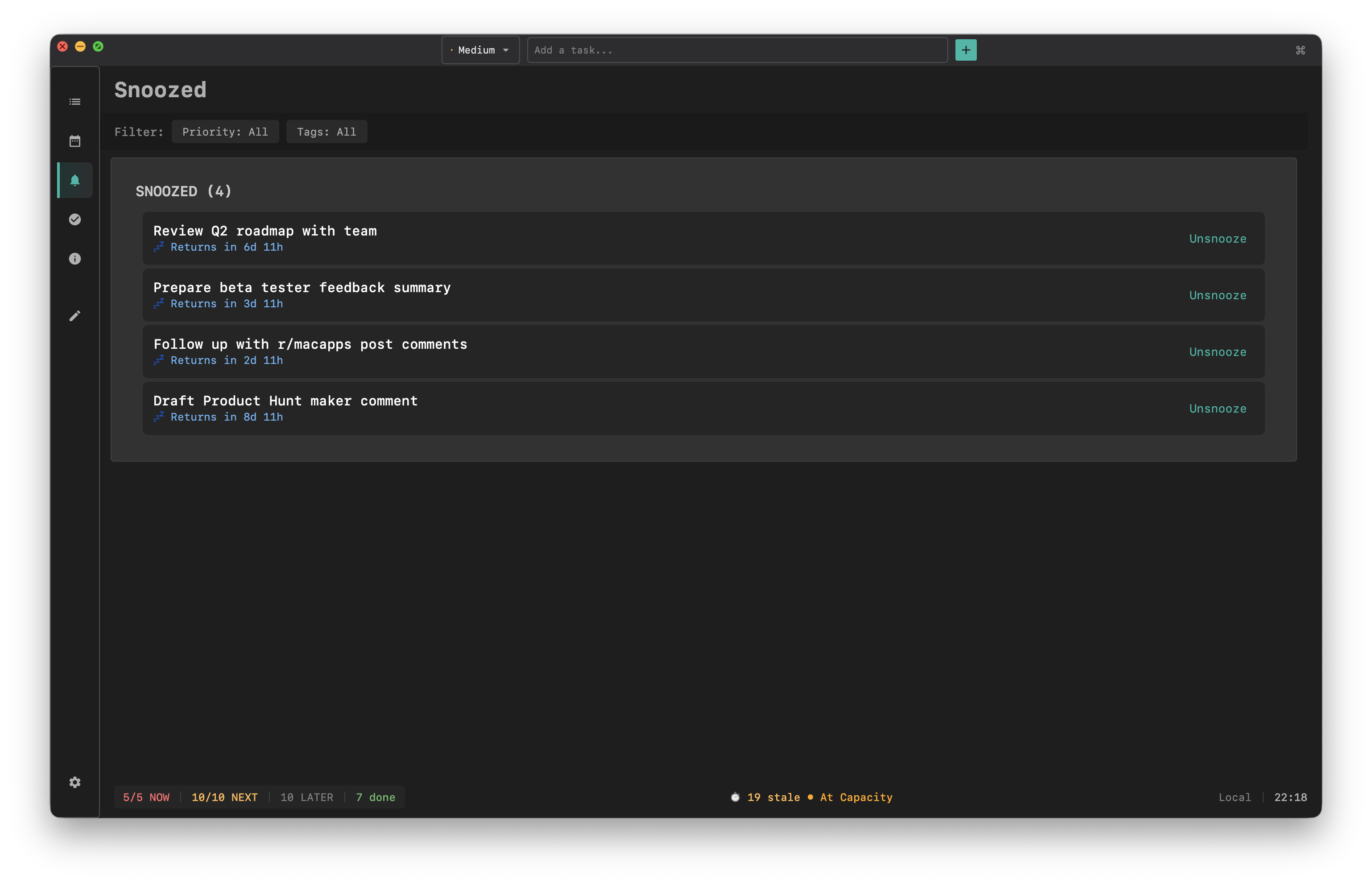
Snoozed
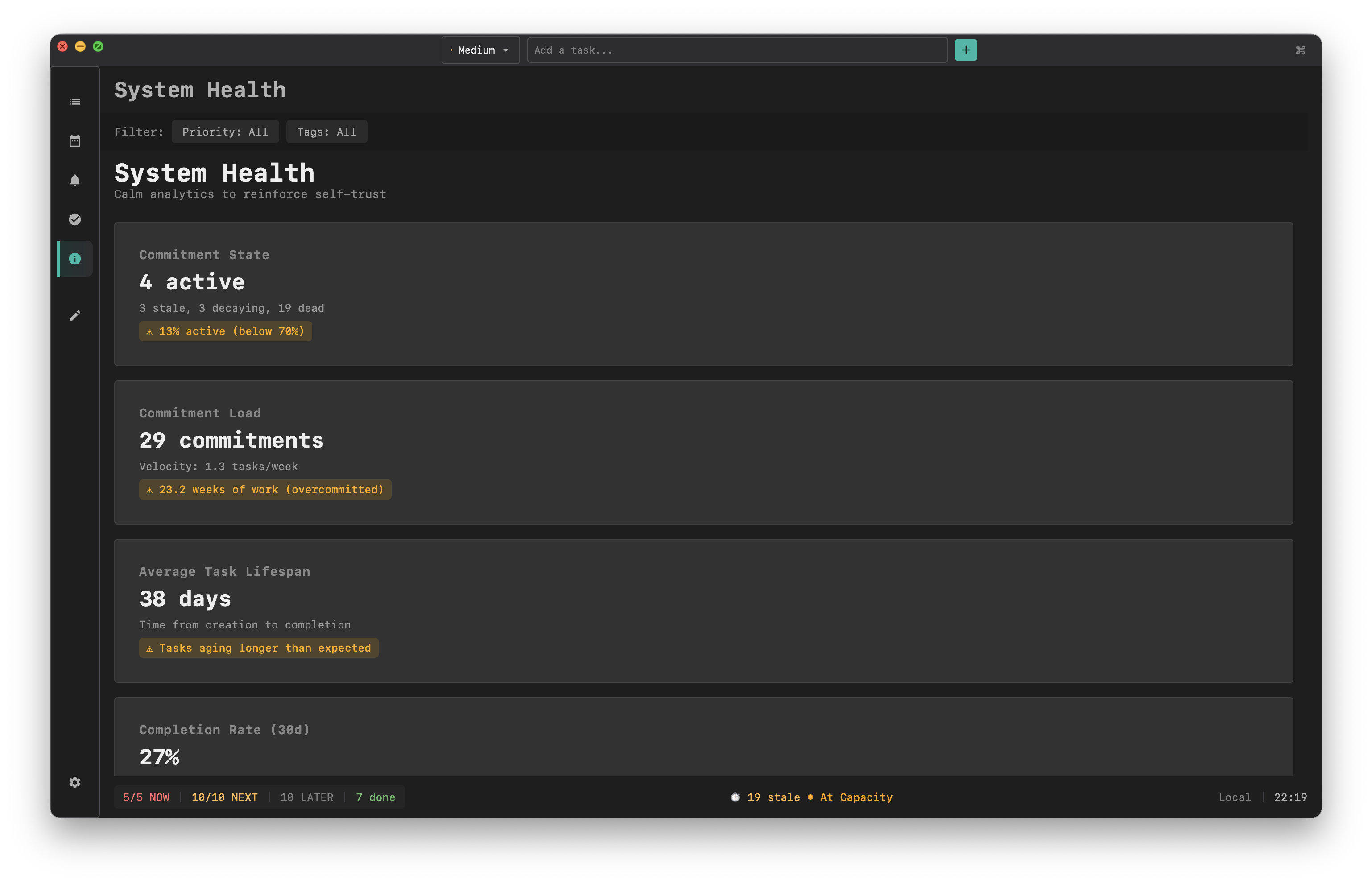
System Health
Ready to focus?
Done is available now. Pay yearly or own it forever.
macOS 12.0 or later · Apple Silicon & Intel · 15-day money-back guarantee